Sometimes, our emails have links for you to click, like when you log in using a magic link or forget your password.
We know our email provider sometimes sends links your browser might not recognize as secure, but we assure you they are.
TIP: some times your IT department won't allow links from emails to be clicked, so right click on the email link, and select Copy link address, and paste it on a new tab on your browser: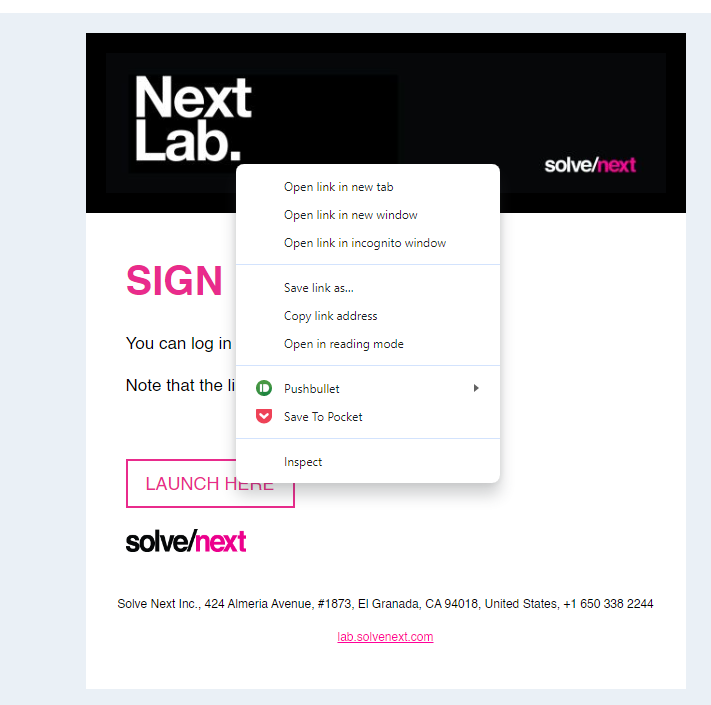
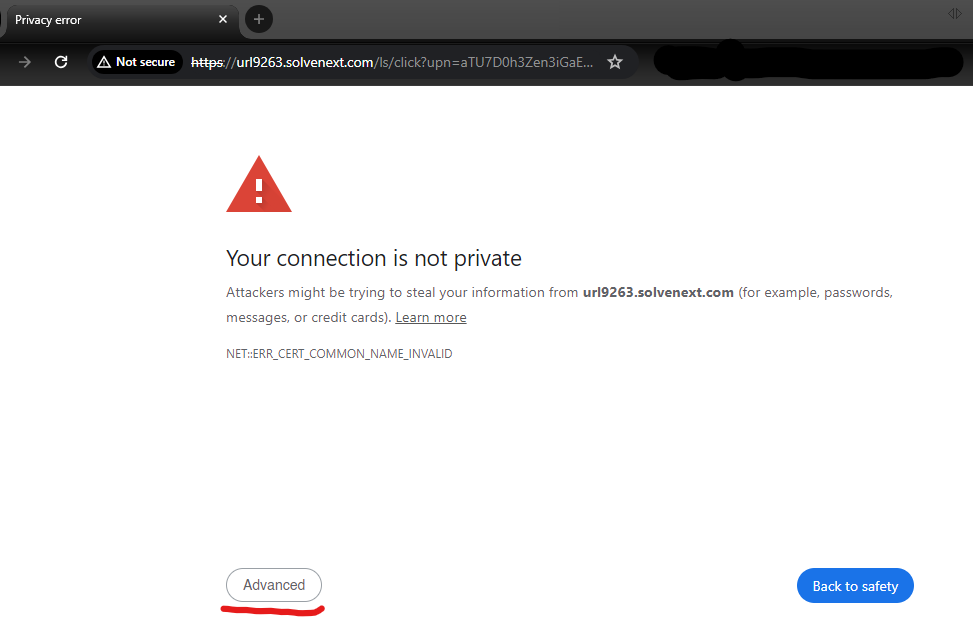
Once you cliked on the link, or pasted it into a new tab, here are the steps to follow in case your browser shows you a privacy error:
Here is how it looks in Google Chrome and how to overcome it (click in Advanced):
Then you should see this (click in Procreed ...):
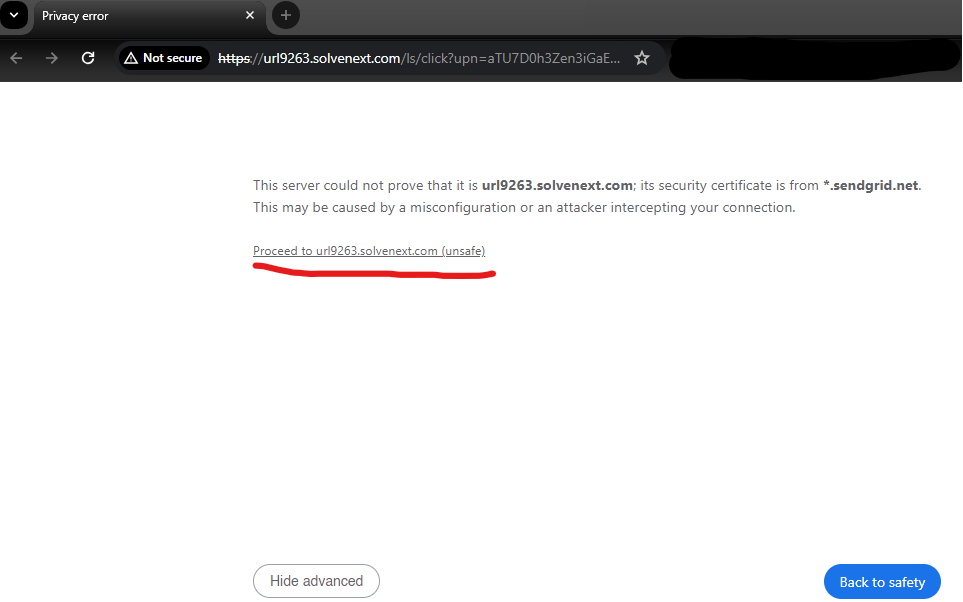
And that is it, then you should be able to follow the link that you got in your email, whether it is a magic login link, or a link to reset your password.
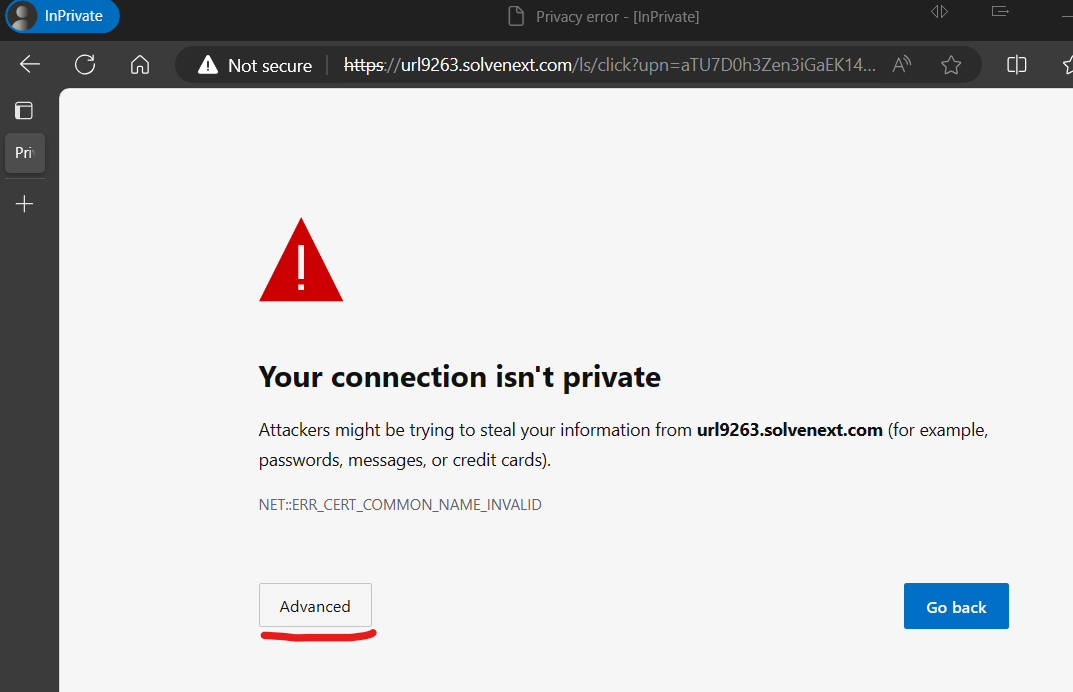
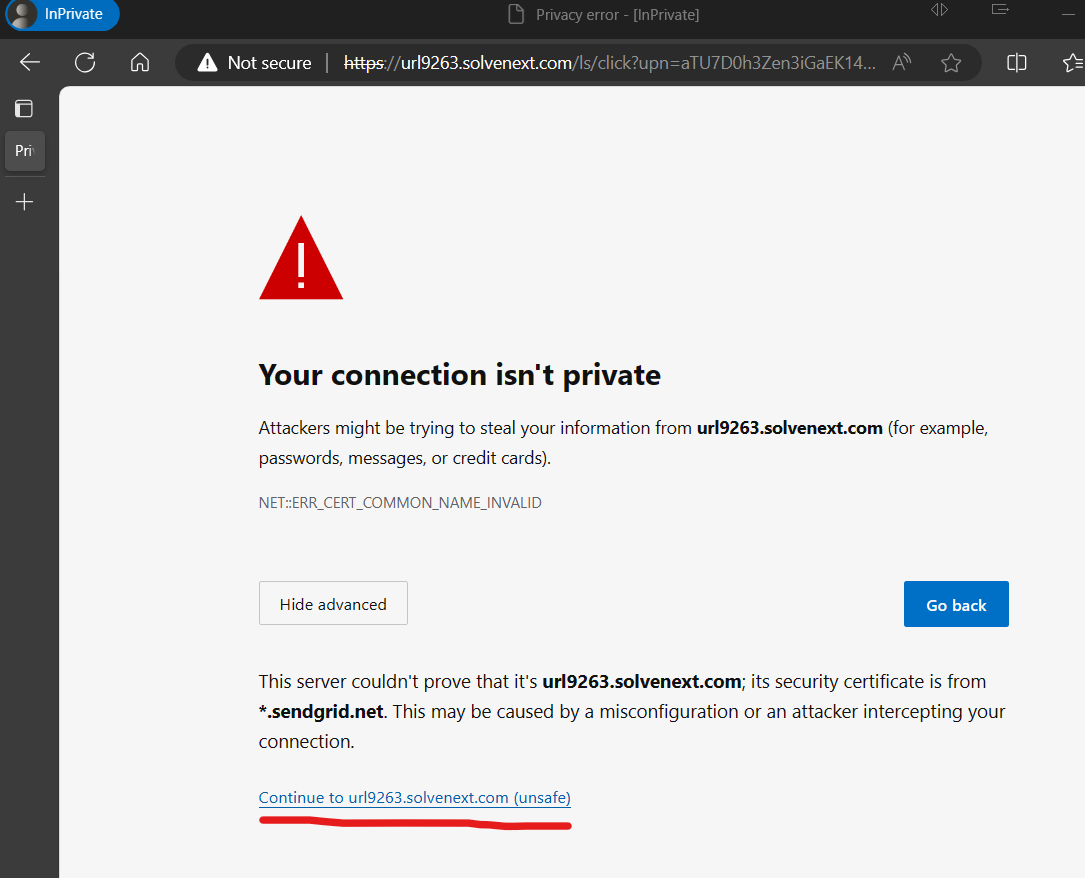
Here is how it looks in Edge (click on Advanced):
Then click on Continue to...:
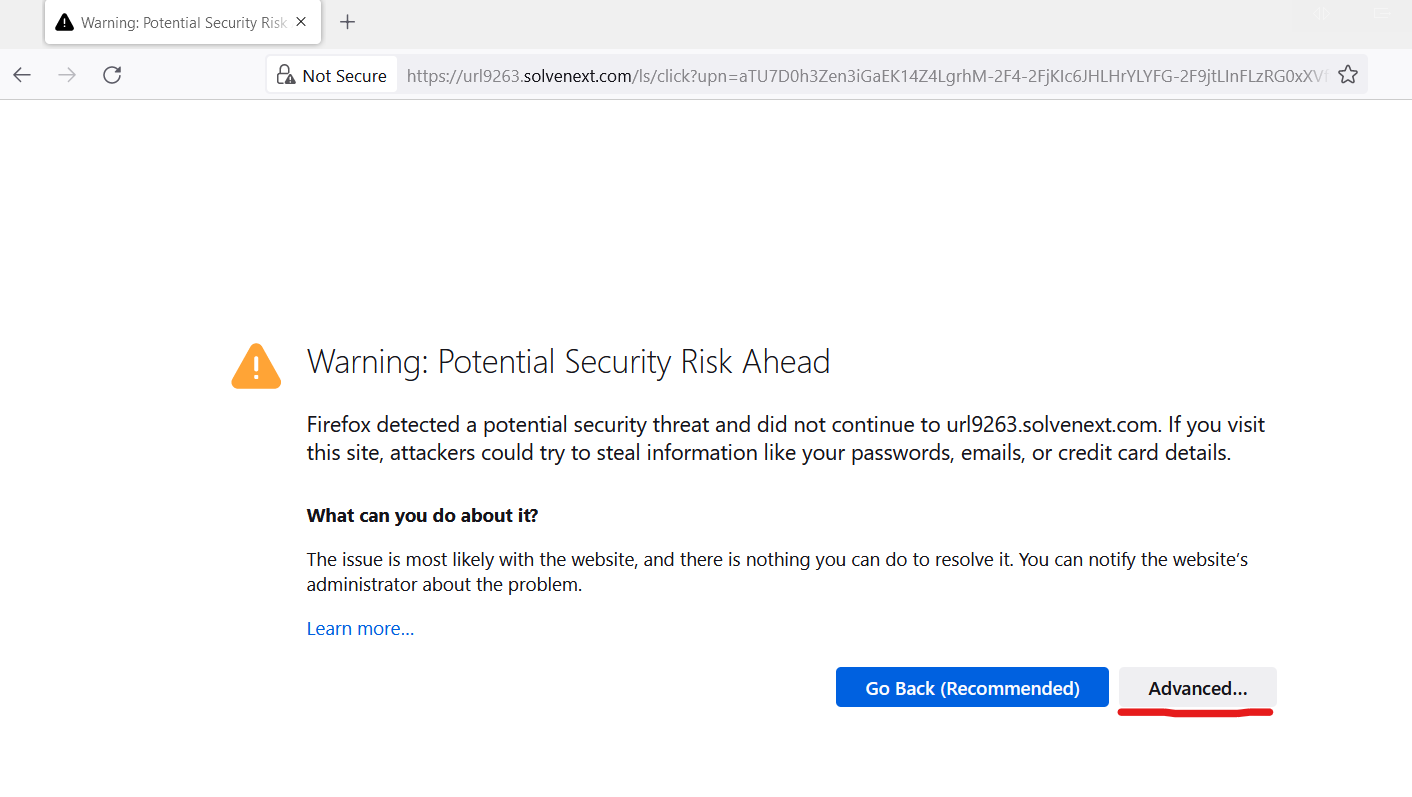
This is how it looks in Firefox (Click on Advanced):
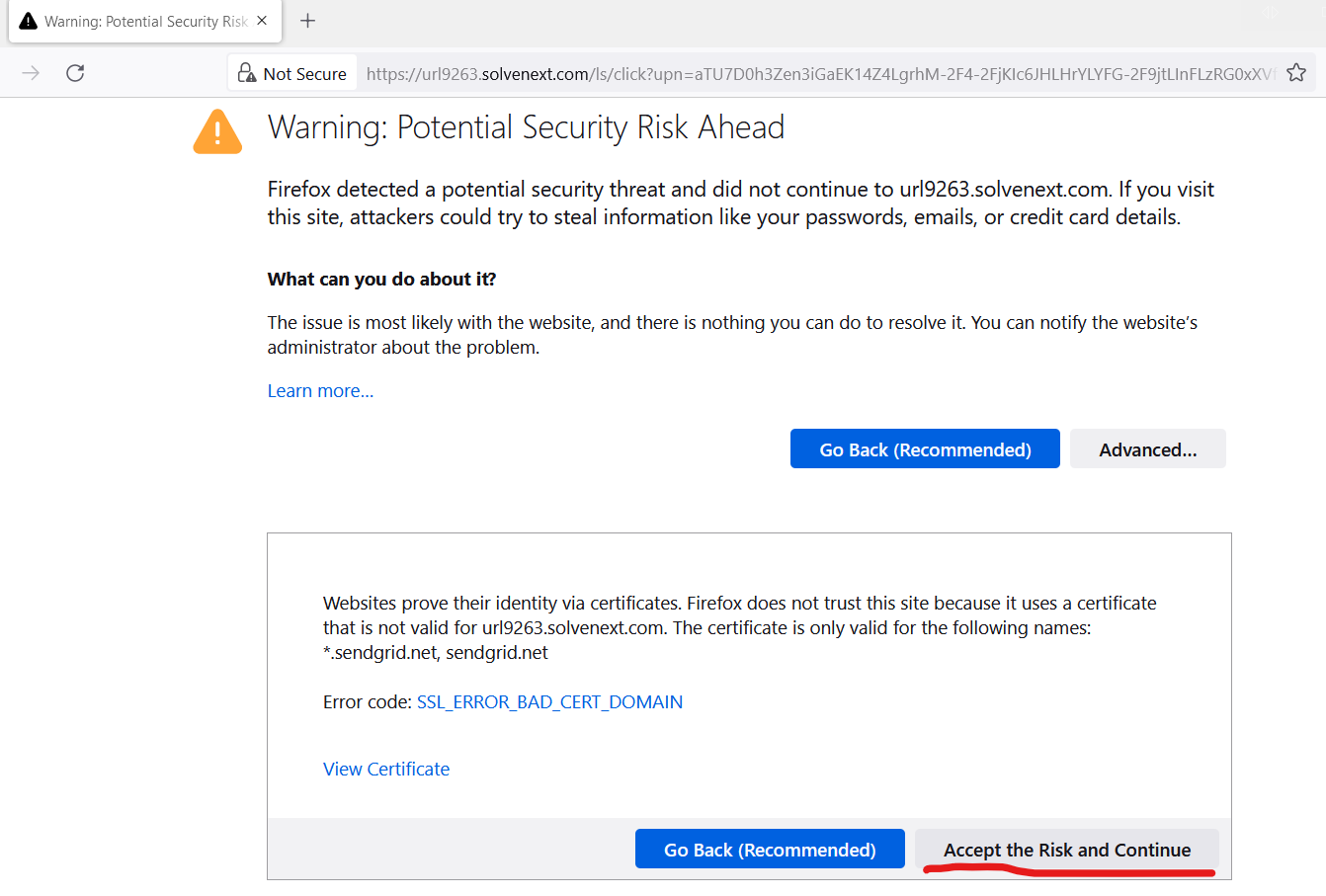
Then click on Accept the Risk and Continue:
Was this article helpful?
That’s Great!
Thank you for your feedback
Sorry! We couldn't be helpful
Thank you for your feedback
Feedback sent
We appreciate your effort and will try to fix the article