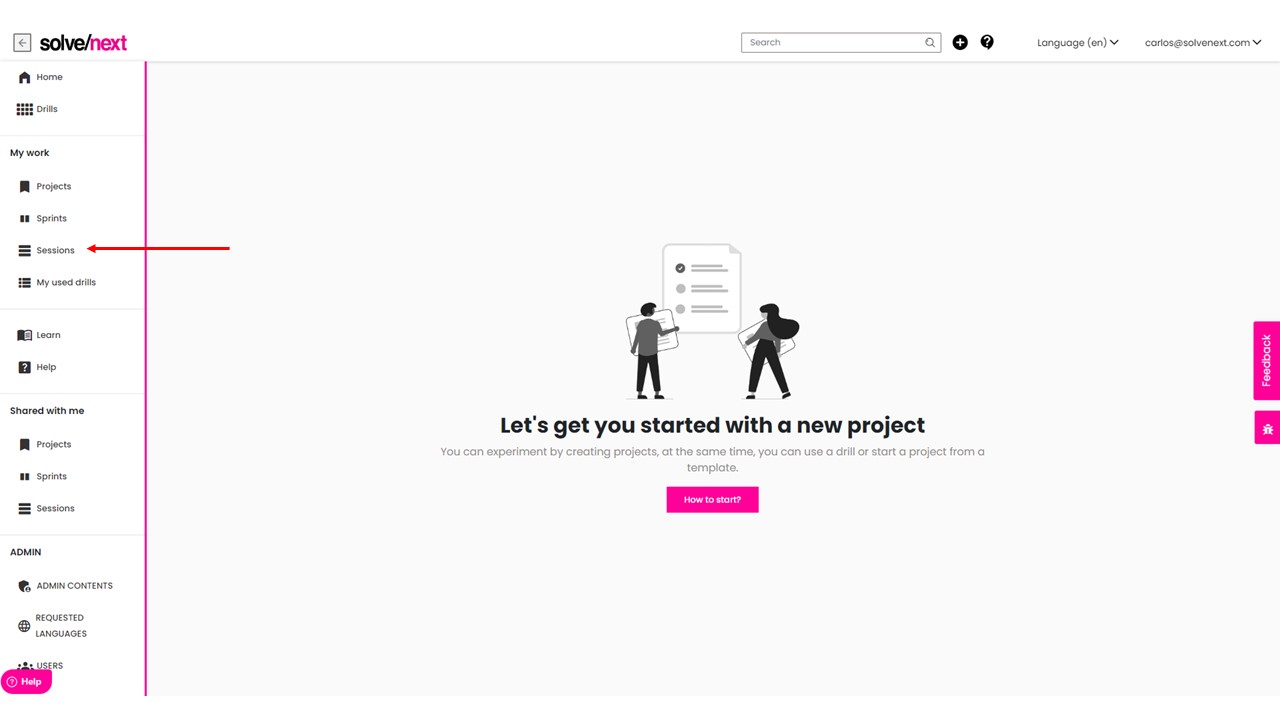
Go to sessions
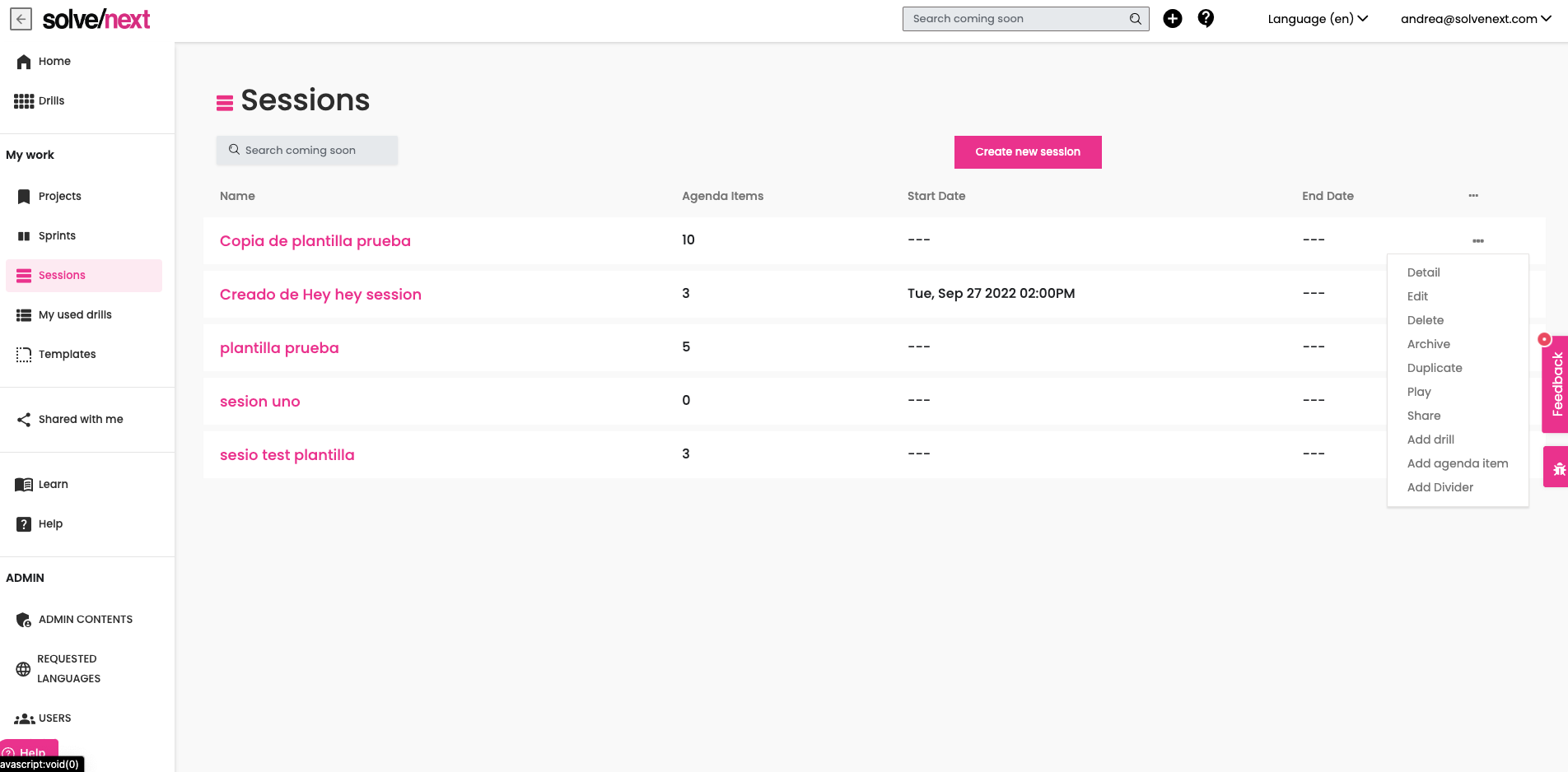
Click on the ellipsis menu of the session that you want and click on Play
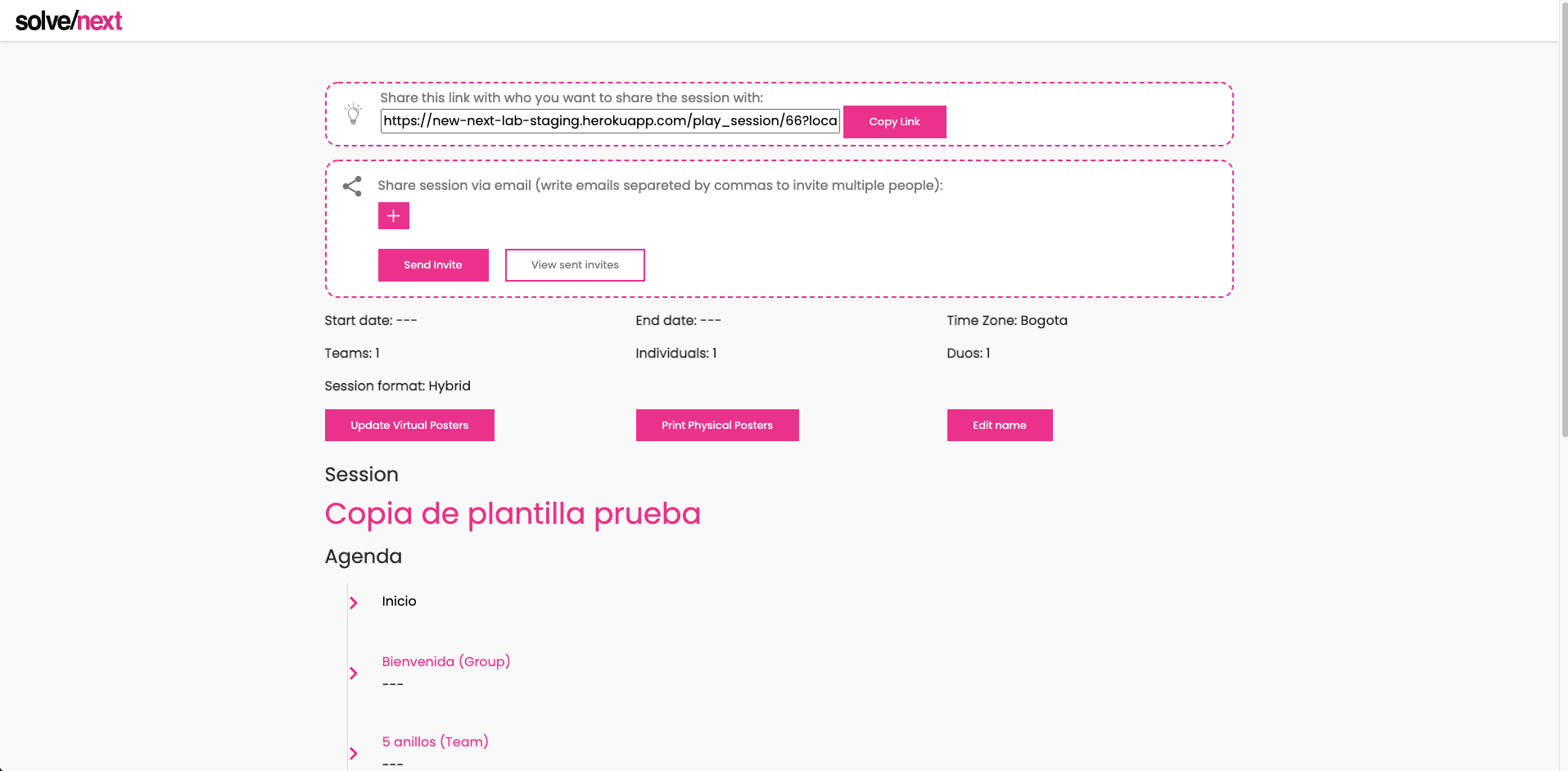
On the Sharing space on the play session, identify the + button, for every email you want, you need to click on the + Button and enter one email at a time
Enter all the emails you want by clicking on the + button and click on send invitations to share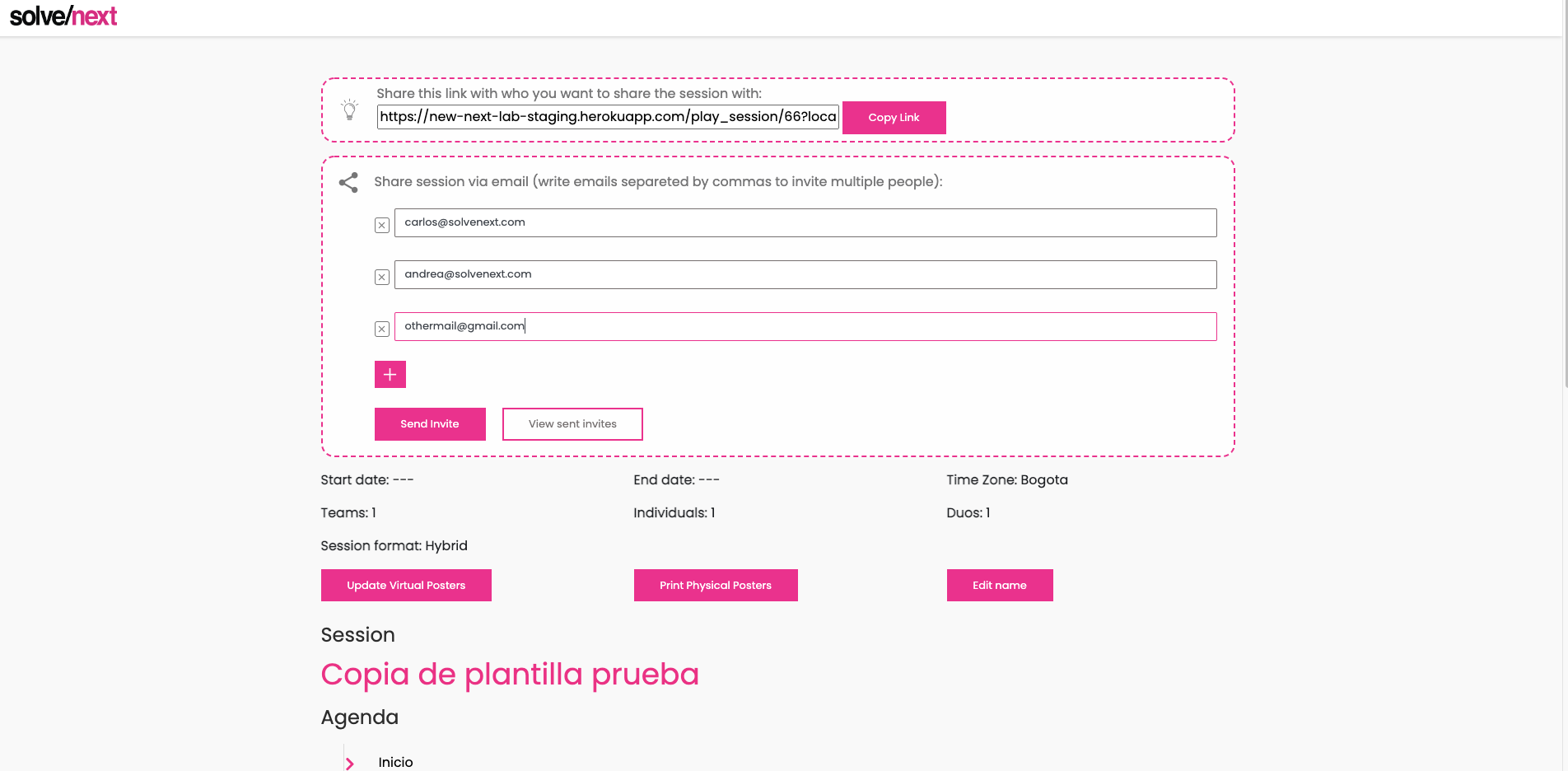
If you want to resend the email, click on view sent invites and click on resend invites
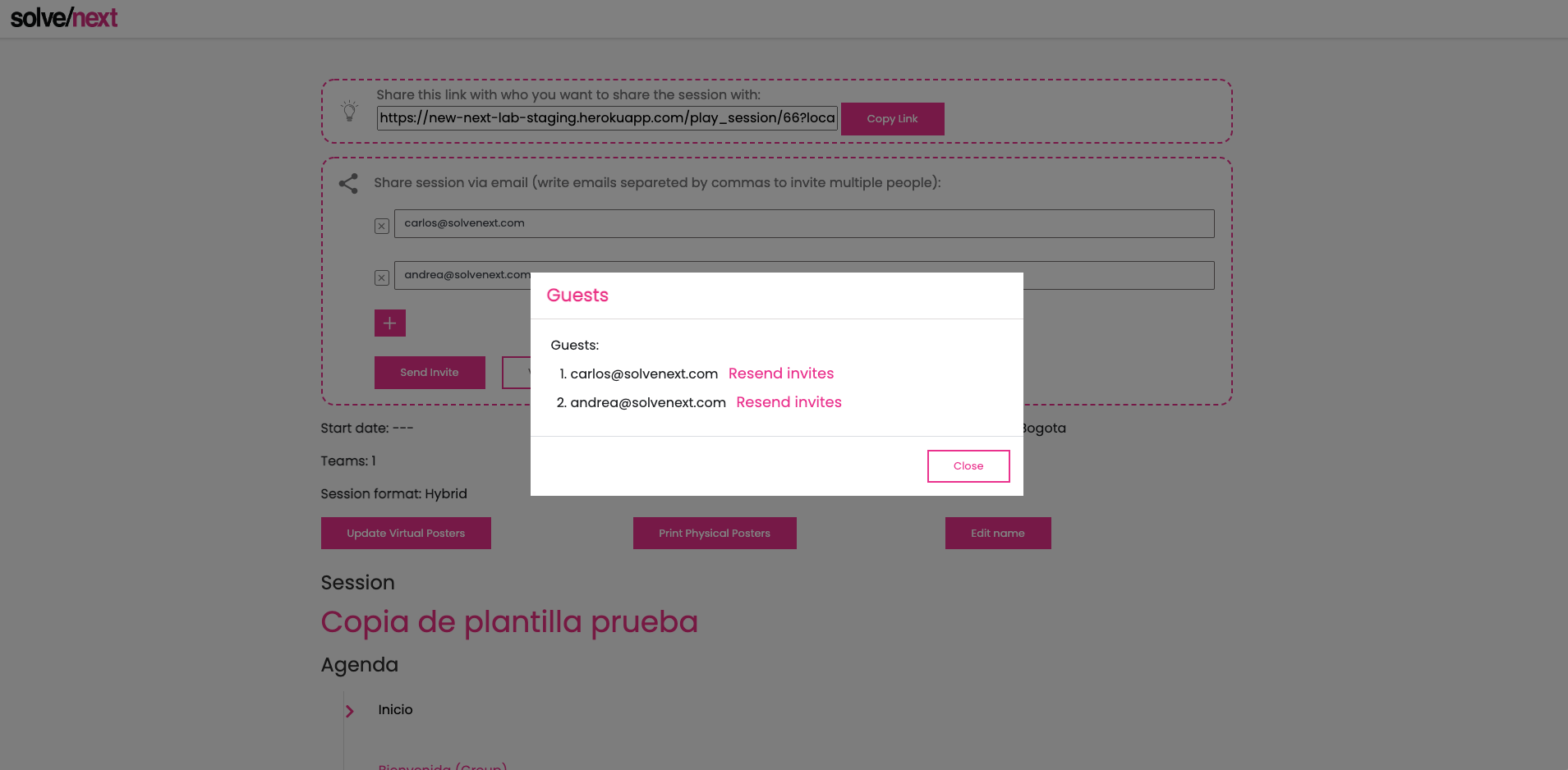
The green color in the link indicates that the email was re-sent
Was this article helpful?
That’s Great!
Thank you for your feedback
Sorry! We couldn't be helpful
Thank you for your feedback
Feedback sent
We appreciate your effort and will try to fix the article