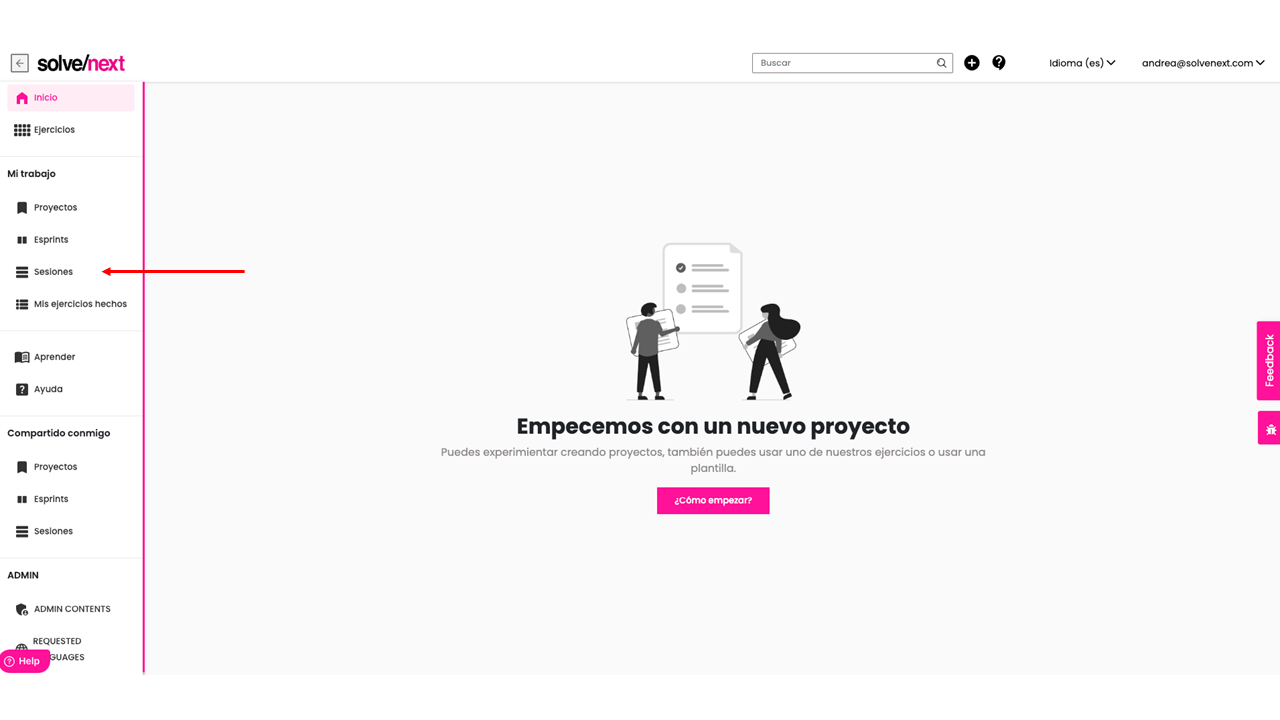
Go to your sessions
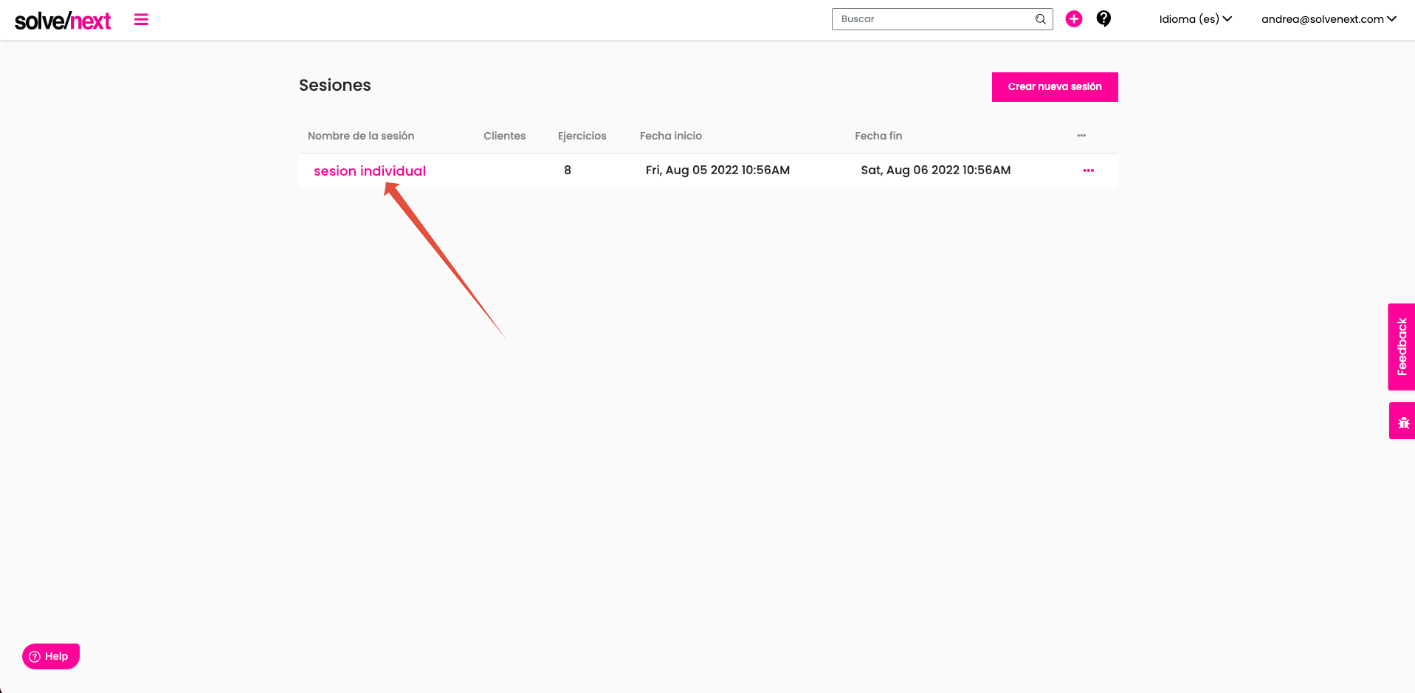
Click on the session
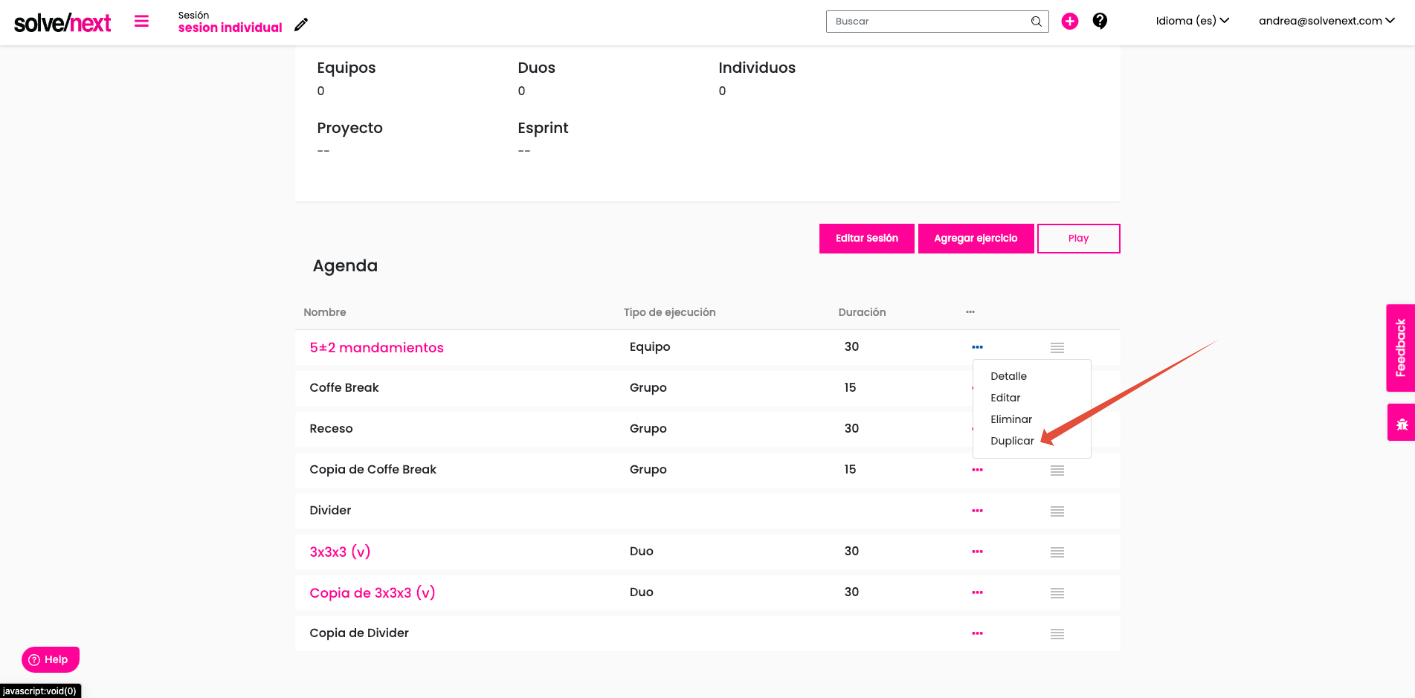
Click on the item you want to duplicate, it can be a drill, a divider, an extra item
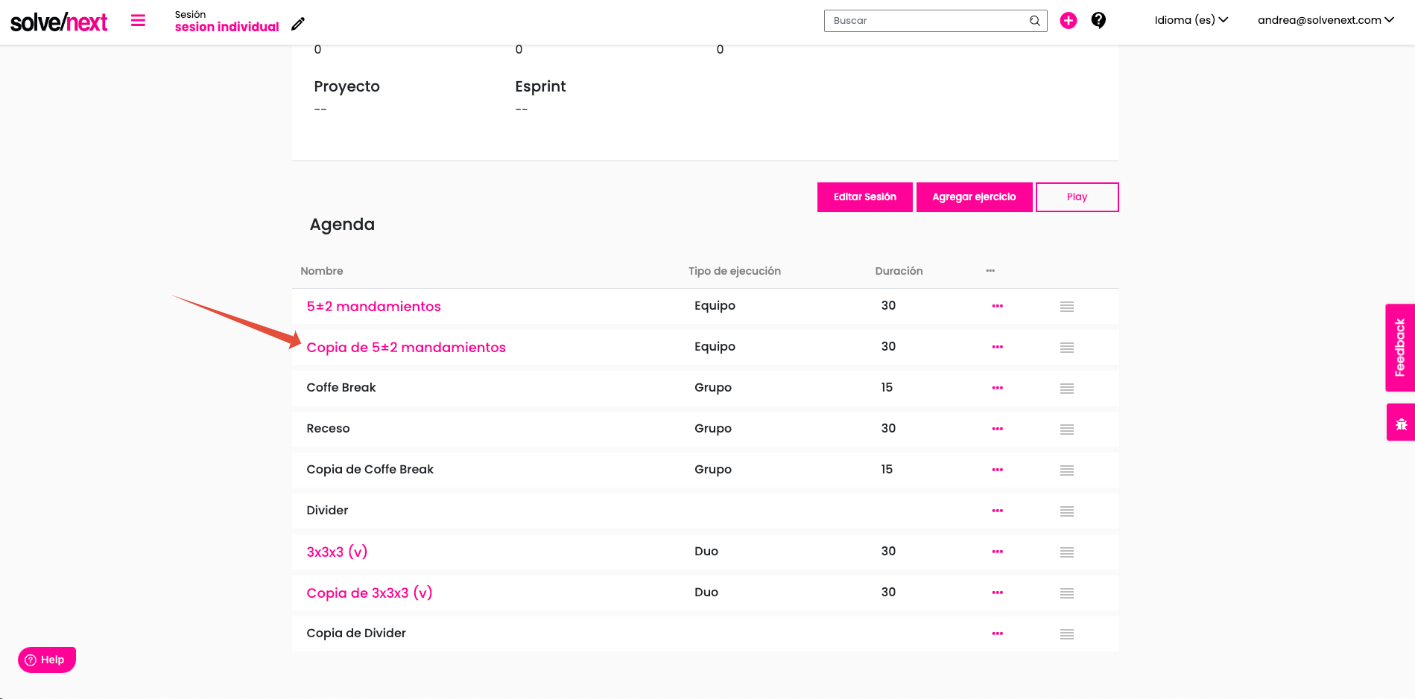
And now you will see below the item that you duplicate your copied item
Was this article helpful?
That’s Great!
Thank you for your feedback
Sorry! We couldn't be helpful
Thank you for your feedback
Feedback sent
We appreciate your effort and will try to fix the article