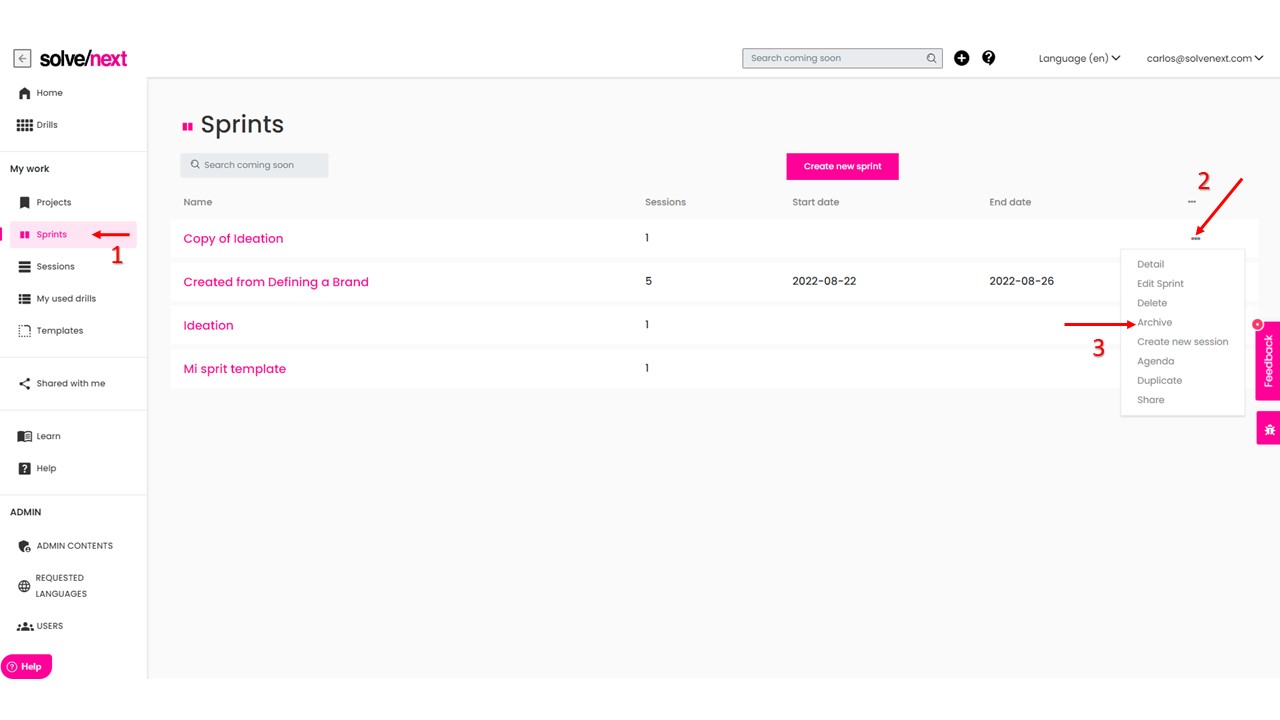
To Archive a Sprint, go to the Sprints menu, find the sprint you want to archive, click on the ellipsis to bring up the sub menu, and select Archive
To Unarchive a Sprint, go to the Sprints menu, then select on the top column called Show Archived then look for the sprint you want to unarchive, click on the ellipsis to bring up the sub menu, and click on Unarchive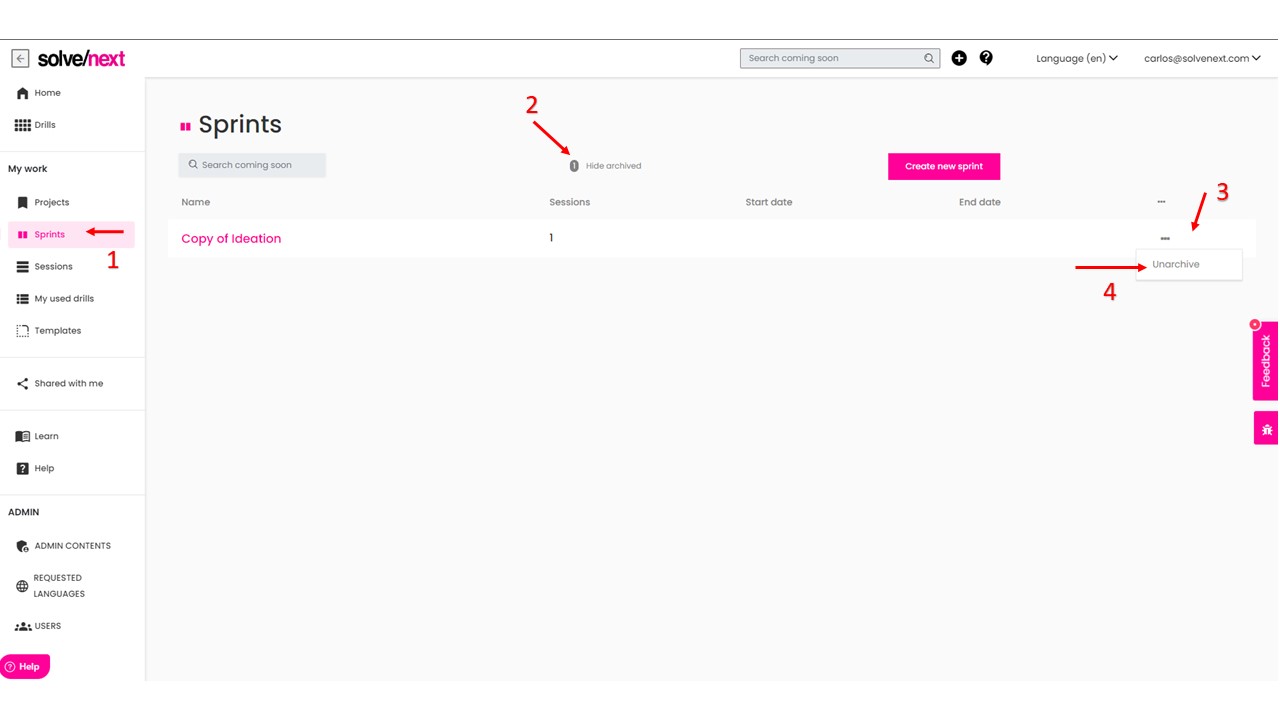 Here i's a video of the release that explains how to archive and unarchive a Sprint
Was this article helpful?
That’s Great!
Thank you for your feedback
Sorry! We couldn't be helpful
Thank you for your feedback
Feedback sent
We appreciate your effort and will try to fix the article